Hacking Tools for CTF: The Complete Free and Open-Source Arsenal (2026)
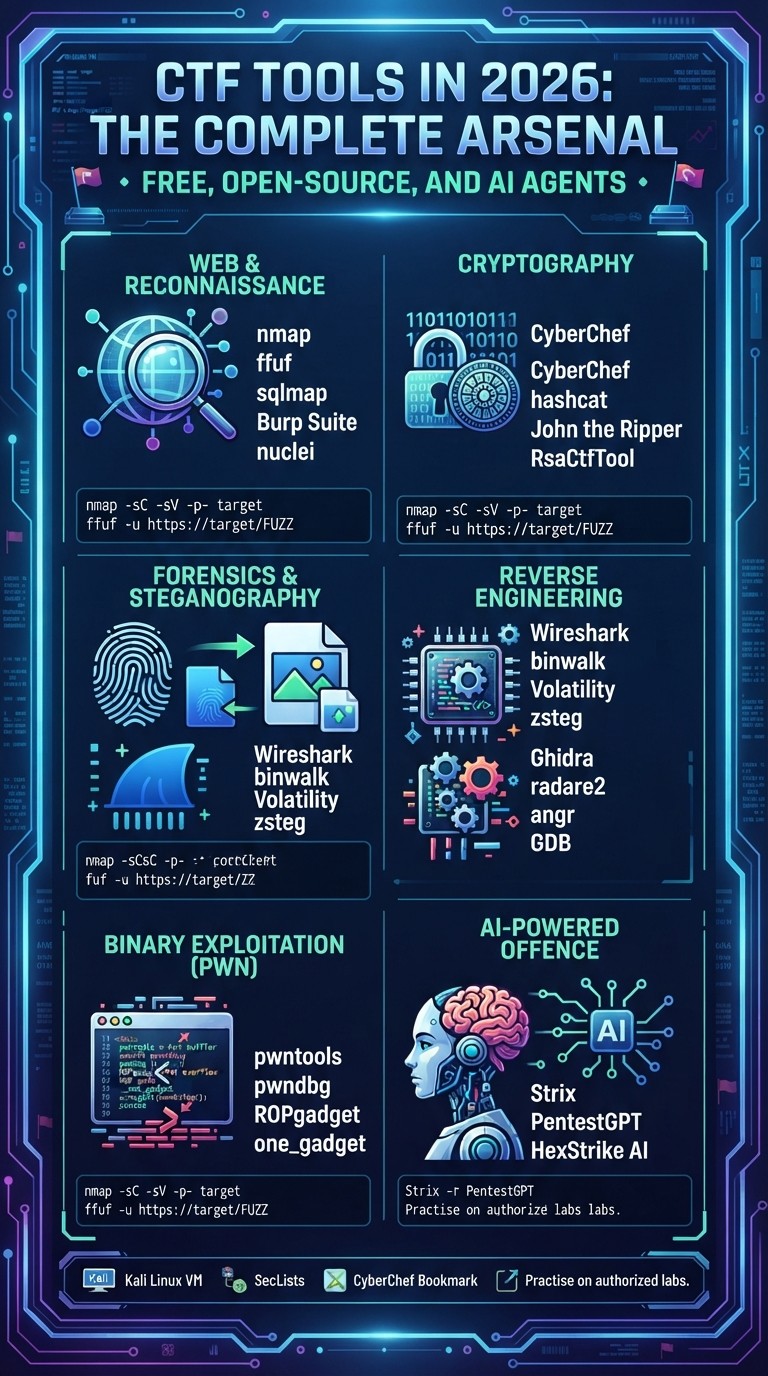
In this post we go through some of the well-tested free cybersecurity tools used in CTFs, and how and where to use each one. These should already be familiar to any CTF player. If they are not familiar to you yet, make time to practise them on home labs or an authorised CTF library like cyberlearner.org before you turn up to a real competition, because a CTF is the wrong place to learn your tools.
Setup
Most of these ship with Kali Linux, so a Kali VM is the fastest way to get everything at once. If you would rather build on a clean host, the tools split across a few language ecosystems: Python ones install with pip, Go ones (the ProjectDiscovery recon suite, ffuf) with go install, and Rust ones (feroxbuster) with cargo install. To keep your host clean and to pin versions, run a tool, or a whole toolkit, inside a Docker container. Keep a wordlist set like SecLists on disk, bookmark CyberChef, and learn three or four tools properly rather than installing forty you never open. Commands below use target or a sample file as a placeholder, and every one of them is for a box you own or are authorised to test.
Categories
| Category | Tools | CyberLearner Labs |
|---|---|---|
| Web and recon | Burp, ffuf, sqlmap, nmap, nuclei | GateCrasher, PathProwler, BahCoin |
| Cryptography | CyberChef, hashcat, John, RsaCtfTool | Sentinel, Courier, Blackbox |
| Forensics and stego | Wireshark, binwalk, Volatility, zsteg | WireTap, Intercept, VolShadow, DiskShadow |
| Reverse engineering | Ghidra, radare2, angr, GDB | The RE series, BabelCore, FieldAgent |
| Binary exploitation | pwntools, pwndbg, ROPgadget, one_gadget | StackSmash, RetropWn, BakuWind |
| AI-powered offence | Strix, CyberStrike, PentestGPT | The AI security labs, WAFShield |
Web and recon
nmap, the network scanner
nmap is the network port scanner. It finds which hosts are alive, which TCP and UDP ports are open on them, the service and version behind each port, and with its scripting engine (NSE) it runs light vulnerability and enumeration checks. It is the first command on almost any networked target, and the one you keep coming back to as you narrow down.
Start by finding hosts and ports:
nmap --help                       # usage and the full flag list
nmap -sn 10.10.10.0/24            # ping sweep: which hosts are up, no port scan
nmap -p- target                   # scan all 65535 TCP ports (default is top 1000)
nmap -sC -sV -p 22,80,443 target  # default scripts + version detection on named ports
sudo nmap -sS -T4 target          # fast SYN "stealth" scan (needs root)
sudo nmap -sU --top-ports 20 target   # the 20 most common UDP ports
-sn does host discovery only. -p- opens every TCP port instead of the default top 1000. -sC runs the safe default scripts and -sV fingerprints each service's version. -sS is the stealthy half-open scan, and -sU covers UDP, which a TCP scan misses completely.
Then dig in with scripts, and save the output in every format at once:
nmap -A target                    # aggressive: version, OS guess, scripts, traceroute
nmap --script http-enum,vuln target   # enumerate web paths and check known CVEs
nmap -sC -sV -oA scan target      # write scan.nmap, scan.gnmap and scan.xml together
-A turns everything on for a quick overview. --script runs chosen NSE scripts or categories. -oA saves all three output formats under one name, so you keep a readable report, a greppable file, and XML for other tools.
The real power is chaining nmap into the rest of your workflow. The standard CTF pattern is a fast all-ports sweep, then a deep scan of only the ports that came back open:
# 1. fast scan of all ports, pull the open ones out of the greppable output
ports=$(nmap -p- --min-rate 2000 -T4 target -oG - | grep -oP '\d+(?=/open)' | paste -sd,)
# 2. deep scan just those ports, which takes seconds instead of minutes
nmap -sC -sV -p "$ports" target
-oG - prints greppable output to the screen, grep -oP pulls out the open port numbers, and paste joins them into a comma list the second nmap reads. You run the slow scripts against the four open ports, not all 65535. A couple more everyday one-liners:
grep -i open scan.nmap                 # list just the open ports from a saved scan
nmap -p- target -oG - | grep "/open"   # same, live, without saving a file
Where: the opening move on any host or network challenge. In an attack-and-defence round, the two-stage scan above maps every team's services in one pass.
ffuf and feroxbuster, content discovery
ffuf is the general-purpose fuzzer for directories, parameters, and virtual hosts; feroxbuster is the one to reach for when you want fast recursive directory discovery. gobuster does the same job and is a fine alternative.
ffuf -h                        # help
ffuf -u https://target/FUZZ -w /usr/share/seclists/Discovery/Web-Content/common.txt -mc 200,301,302
ffuf -u "https://target/item?id=FUZZ" -w ids.txt -fc 404   # fuzz a parameter value
feroxbuster -u https://target -w wordlist.txt -r           # recursive sweep
Where: every web challenge that hides an endpoint, a backup file, or a .git folder. Try it on PathProwler and BahCoin.
sqlmap, automated SQL injection
sqlmap detects and exploits SQL injection, then reads the database for you. Always start from a real request. For anything with a login, a POST body, or custom headers, intercept it in Burp, save it to a file (right-click, Copy to file), and point sqlmap at that.
Step 1, confirm the injection. Let sqlmap find and verify the injectable parameter:
sqlmap -hh                                   # advanced help, every option explained
sqlmap -u "https://target/item?id=1" --batch # test a GET parameter (--batch accepts defaults)
sqlmap -r request.txt --batch                # or a full saved request: POST body, cookies, headers
sqlmap -r request.txt -p id --batch          # pin the one parameter to test
Step 2, enumerate the database top-down once it is injectable:
sqlmap -r request.txt --dbs                      # list databases
sqlmap -r request.txt -D shop --tables           # tables in the "shop" database
sqlmap -r request.txt -D shop -T users --columns # columns in the "users" table
sqlmap -r request.txt -D shop -T users -C username,password --dump   # dump chosen columns
sqlmap -r request.txt --dump-all --exclude-sysdbs                    # everything, skip system dbs
Step 3, turn up the aggression and get past filters. A higher level and risk try more payloads, --technique limits the injection types, and --tamper rewrites payloads to slip past a WAF:
sqlmap -r request.txt --level 5 --risk 3              # more tests, more aggressive payloads
sqlmap -r request.txt --technique=BEU                 # Boolean, Error and Union only
sqlmap -r request.txt --tamper=space2comment,between  # WAF-bypass transforms
sqlmap -r request.txt --threads 10 --batch            # parallelise the requests
sqlmap -r request.txt --os-shell                      # attempt an OS shell where the DB allows it
Where: injectable web parameters. Practise the manual version first on GateCrasher and BahCoin, where blind injection is the intended path.
Burp Suite and OWASP ZAP, the proxy
Burp Suite Community sits between you and the site so you can read, replay, and tamper with every request; OWASP ZAP is the fully open-source equivalent. Both are GUI tools (help is under the menu or F1). Repeater for hand-editing a request and Intruder, or ZAP's fuzzer, for grinding one are the daily drivers.
Where: header tricks, auth bypasses, and anything you edit by hand. Perfect for HostTrick, which turns on one obscure forwarding header.
The ProjectDiscovery recon chain
For breadth, chain the ProjectDiscovery tools: subfinder and Amass find subdomains, httpx keeps the live ones, katana crawls them, and nuclei runs templated vulnerability checks.
subfinder -h                   # help (same -h on httpx, katana, nuclei)
subfinder -d target.com -silent | httpx -silent -title -tech-detect
amass enum -passive -d target.com        # deeper, slower subdomain sweep
katana -u https://target -jc             # crawl, including JavaScript endpoints
nuclei -u https://target -t http/cves/   # known-CVE and misconfig templates
Where: wide-scope and attack-defence rounds. A few more worth keeping: Arjun (arjun -h) for hidden HTTP parameters, jwt_tool (jwt_tool -h) for JWT tampering, and wafw00f (wafw00f -h) to fingerprint a WAF before you poke it.
Cryptography
CTF crypto is rarely about breaking a real cipher. It is about spotting which mistake was made and reaching for the tool that undoes it. Here are the common attacks and what to run for each.
Encoding and classical ciphers
If there is no key, it is a transform, and a tool reverses it in one step. CyberChef (its Magic operation) and Ciphey auto-detect and peel nested base64, hex, ROT, and the rest. For named classical ciphers (Caesar, Vigenere, substitution, rail fence), CyberChef has recipes and dCode solves them online.
ciphey --help
ciphey -t "Gur synt vf uvqqra"      # auto-detects ROT13 and decodes
XOR and stream ciphers
A keystream reused or a short XOR key leaks the plaintext. xortool recovers a repeating-key XOR by guessing the key length and the most common byte; CyberChef's XOR Brute Force covers single-byte keys.
xortool -h
xortool -c 20 cipher.bin            # -c 20 = space is the most common plaintext byte
Hash cracking with John and hashcat
Identify the hash first, then crack it. Name the type with hashID or hash-identifier, reach for hashcat when you have a GPU and John the Ripper (Jumbo) for its huge format coverage, and keep rockyou plus a rules file as your default attack.
hashid '5f4dcc3b5aa765d61d8327deb882cf99' # name the hash type before you starthashcat (GPU). Pick the mode number for your hash, then choose an attack: a straight wordlist, a wordlist multiplied by rules, or a mask (brute force over a pattern).
hashcat --help | grep -i sha256              # find the mode (-m) for your hash type
hashcat -m 0 -a 0 hash.txt rockyou.txt       # -a 0 wordlist attack, -m 0 = MD5
hashcat -m 0 -a 0 hash.txt rockyou.txt -r rules/best64.rule   # mutate the wordlist with rules
hashcat -m 0 -a 3 hash.txt '?u?l?l?l?d?d?d?d'   # -a 3 mask: 1 upper, 3 lower, 4 digits
hashcat -m 0 hash.txt --show                 # print hashes already cracked (from the potfile)
hashcat -m 1000 -a 0 hash.txt rockyou.txt -w 3 -O   # NTLM, higher workload, optimised kernel
Mask characters are ?l lower, ?u upper, ?d digit, ?s symbol, ?a any. Handy modes: 0 MD5, 100 SHA1, 1400 SHA256, 1000 NTLM, 3200 bcrypt, 22000 WPA.
John the Ripper (CPU). John auto-detects the format and runs a sensible default, which makes it the fastest thing to try first. Its *2john helpers turn locked files into crackable hashes.
john hash.txt                                # auto-detect format, default wordlist + rules
john --wordlist=rockyou.txt --rules hash.txt # wordlist with mangling rules
john --format=raw-sha256 --wordlist=rockyou.txt hash.txt   # force the format if auto guesses wrong
john --incremental hash.txt                  # pure brute force when no wordlist works
john hash.txt --show                         # show what has cracked so far
zip2john secret.zip > zip.hash               # locked file to hash (also rar2john, pdf2john, ssh2john)
Where: recovered hashes and locked archives. Try it on BahCoin, which ends in a hash crack. Identify with hashID.
RSA and public key
RsaCtfTool throws every known RSA attack at a weak key automatically (Wiener for a small private exponent, Fermat for close primes, common modulus, Hastad broadcast, small-e cube root), and FactorDB tells you instantly if a modulus is already factored.
RsaCtfTool --help
RsaCtfTool --publickey key.pem --uncipherfile flag.enc   # tries every attack in turn
Where: RSA challenges. Learn the attacks by hand on Sentinel (Wiener) and Courier (Fermat).
Block ciphers and length extension
A cookie encrypted badly breaks without the key. ECB repeats give block copy-and-paste, a CBC byte-flip turns user into root, a padding oracle decrypts a block at a time, and an md5(secret+data) token falls to hash length extension with hash_extender.
hash_extender --help
hash_extender --data "user=guest" --secret 16 --append "&admin=1" --signature <sig> --format md5
Where: token and cookie crypto. Try the chained AES-CBC case on Blackbox. Heavier work goes to SageMath and the z3 solver; smaller specialists worth knowing are FeatherDuster (automated cryptanalysis) and cribdrag (one-time-pad reuse).
Forensics and steganography
Wireshark and tshark, packets
Wireshark reads a packet capture as a conversation; tshark is its command-line twin, faster on big files. Follow a TCP stream to read a session, or Export Objects to pull files straight out of HTTP.
tshark -h
tshark -r capture.pcap -Y "http.request" -T fields -e http.host -e http.request.uri
tshark -r capture.pcap -T fields -e usb.capdata        # recover USB keystrokes
Where: any PCAP challenge. Try it on WireTap, a VoIP capture with a password hidden in the audio.
binwalk, carving
binwalk finds and extracts files hidden inside other files, the first move on any suspicious image or firmware blob.
binwalk --help
binwalk suspicious.png        # list embedded signatures
binwalk -e suspicious.png     # extract everything it finds
Where: stego and firmware. Pair it with foremost and bulk_extractor for deeper file carving.
Volatility, memory
Volatility 3 reads a RAM image: running processes, open files, and secrets straight out of memory.
vol -h
vol -f mem.raw windows.pslist      # processes
vol -f mem.raw windows.hashdump    # account hashes
Where: memory-dump challenges. Try it on VolShadow, a real Linux memory dump with a disguised process.
The stego triage kit
A quick first pass solves most image challenges: file, then exiftool for metadata, zsteg for LSB data in PNG and BMP, steghide to extract, and stegseek to crack a steghide passphrase against a wordlist.
exiftool image.jpg            # metadata, the flag is often in a comment (help: exiftool -h)
zsteg -a cover.png            # try every LSB layout (help: zsteg --help)
stegseek secret.jpg rockyou.txt   # brute a steghide passphrase fast (help: stegseek --help)
Where: image and audio stego. The online Aperi'Solve runs most of these at once. Try the audio case on Intercept, where an image hides in a spectrogram. For disk images, TestDisk recovers partitions and deleted files, as in DiskShadow.
Reverse engineering
Ghidra and radare2, static analysis
Ghidra (from the NSA) is the free decompiler and disassembler that replaced many paid workflows; radare2 and its tidier fork Rizin (with the Cutter GUI) are the powerful command-line option. Start with the cheap tools, though.
file ./target                     # arch, 32 vs 64 bit, stripped or not
strings -n 6 ./target             # readable strings, often leaks the key
objdump -d -M intel ./target      # full disassembly
r2 -A ./target                    # radare2: open and auto-analyse (help: r2 -h, then ? in-tool)
Where: every crackme. Practise on the RE series, from XOR keys to custom VMs.
angr, symbolic execution
angr treats the input as unknown and asks a solver for the value that reaches the win block, which beats hand-reversing a tangle of checks. It is a Python library; the docs live at docs.angr.io.
import angr
p = angr.Project("./target", auto_load_libs=False)
sm = p.factory.simulation_manager(p.factory.entry_state())
sm.explore(find=0x401337, avoid=0x401300)
print(sm.found[0].posix.dumps(0))
Where: constraint-heavy crackmes. For Android, jadx (jadx --help) decompiles an APK to readable Java; try it on FieldAgent. For WebAssembly, wasm2wat disassembles, as in BabelCore.
Binary exploitation (pwn)
pwntools, the exploit framework
pwntools is the Python library almost every pwn player uses: connect to the target, pack addresses, build ROP chains, and parse ELFs, all in a few lines. It also ships a pwn command (pwn --help).
from pwn import *
io = remote("host", 4444)
io.sendline(b"A" * 72 + p64(0x401186))   # overflow into a win function
io.interactive()
Where: every pwn challenge. Try it on StackSmash, RetropWn, and BakuWind.
pwndbg, checksec, and the gadget finders
Debug with GDB plus pwndbg or GEF. Check a binary's defences with checksec, find ROP gadgets with ROPgadget or ropper, and look for a one-shot shell with one_gadget.
checksec --file=./target                       # NX, PIE, canary, RELRO
ROPgadget --help
ROPgadget --binary ./target --only "pop|ret"   # usable gadgets
one_gadget ./libc.so.6                          # one-call execve("/bin/sh")
Where: exploit development. pwninit (pwninit --help) auto-sets up a challenge with the right libc, and patchelf points a binary at a provided libc so it runs locally.
AI-powered offence, the new meta
A newer class of agents drives recon, discovery, and exploitation with an LLM, and the strong ones validate a finding with a real proof of concept rather than just flagging it. They accelerate web and API style targets, but they do not replace the specialists above for heavy crypto, reverse, or pwn. Use them only where you are authorised.
- Strix (Apache-2.0). Autonomous agents in a Docker sandbox with a browser, proxy, shell, and Python, which confirm bugs with working exploits. The most cited open-source option.
strix --help strix -t https://target # run the agent team against an authorised target - CyberStrike (AGPL-3.0). An AI agent that runs a full pentest from the terminal: plug in any model, and it does recon, discovery, exploitation, and reporting. Ships a browser UI too.
npm i -g @cyberstrike-io/cyberstrike@latest cyberstrike # or: cyberstrike web (browser UI) - PentestGPT. An LLM-driven pentest agent with a research lineage (USENIX Security), structured as recon, exploit, and report stages (
pentestgpt --help). - HexStrike AI (MIT). An MCP server that wires an LLM to 150+ existing tools, so the model calls nmap, ffuf, and the rest for you.
python3 hexstrike_server.py --port 8888 # MCP server (options: --debug, --port)
Where: wide web and API recon, and attack-defence support. XBOW is the commercial standout, autonomous against web apps and a fixture at the top of public bug-bounty leaderboards, but it is not open-source. Practise against AI systems themselves on the AI security labs, and defend against live tools on WAFShield.
Practice, practice, practice
Owning the tools is the easy part. What wins a CTF is knowing a handful of them without thinking, and having a set routine for each category. So do not collect. Pick one tool from each section above, open a free lab on CyberLearner, and run it on a real target until you stop needing the help page. Then add the next one. A few months of that will out-solve a far longer tool list you have never actually used.
Sources
- apsdehal/awesome-ctf, the long-standing curated tool list
- zardus/ctf-tools, one-command installers for the classics
- ProjectDiscovery, the modern recon toolchain
- Strix, autonomous AI pentest agents